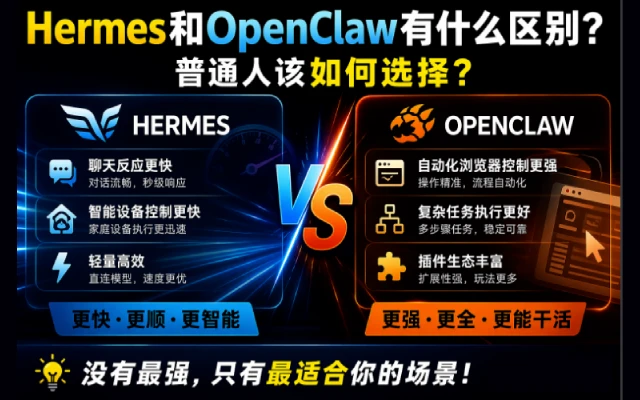
OpenClaw 指令大全:21 模块 100+ 命令,覆盖配置、网关、Agent、安全等核心场景
AI 概述
本文整理了 OpenClaw 完整 CLI 指令大全,按功能分为二十一个模块,覆盖快速入门、初始化配置、运维诊断、网关管理、渠道对接、模型调度、多 Agent、会话、节点、定时任务、记忆、浏览器、安全、技能插件、沙箱等场景。每条命令附带用法示例与参数说明,同时包含斜杠快捷命令,兼顾新手上手与高阶运维需求,方便快速查询、一键实操,帮助用户系统化管理 OpenClaw,提升部署、调度与日常运维效率。
目录
文章目录隐藏
OpenClaw 作为一款功能强大的多场景管理工具,提供了涵盖系统运维、配置管理、Agent 调度、渠道对接等全流程的 CLI 指令,旨在简化复杂操作、提升管理效率。本指令大全系统梳理了 OpenClaw 所有核心命令,按功能模块分类排版,涵盖快速入门、初始化配置、运维管理、网关渠道、模型代理等二十一个核心场景,每个指令均附带清晰用法示例与参数说明。无论你是初次接触的新手,还是需要高效运维的资深用户,都能通过本手册快速查询指令、掌握用法,轻松实现 OpenClaw 全功能管控,高效完成各类操作任务。
一、快速入门
// 查看系统状态
openclaw status
// 诊断问题
openclaw doctor
// 查看日志
openclaw logs --follow
// 打开 Web 控制面板
openclaw dashboard
// 启动/重启 Gateway
openclaw gateway restart
// 更新版本
openclaw update
二、初始化与配置管理
首次使用时的配置向导。
// 基础初始化
openclaw setup
// 运行向导
openclaw setup --wizard
// 引导式配置
openclaw onboard
// 配置向导
openclaw configure
// 配置特定部分
openclaw configure --section models
openclaw configure --section channels
openclaw configure --section web
// 查看配置文件路径
openclaw config file
// 获取配置值
openclaw config get gateway.port
openclaw config get agents.defaults.model.primary
// 设置配置值
openclaw config set gateway.port 19001
openclaw config set agents.defaults.model.primary "anthropic/claude-opus-4-6"
// 删除配置值
openclaw config unset tools.web.search.apiKey
// 验证配置
openclaw config validate
openclaw config validate --json
路径语法:
// 点号语法
openclaw config get agents.defaults.workspace
// 数组索引
openclaw config get agents.list[0].id
openclaw config set agents.list[1].tools.exec.node "node-1"
三、运维指令
// 快速状态概览
openclaw status
// 完整诊断(包括深度检查)
openclaw status --all --verbose
// 深度检测(探测所有渠道)
openclaw status --deep
// 显示用量信息
openclaw status --usage
// JSON 输出
openclaw status --json
// 基础健康检查
openclaw health
// JSON 格式
openclaw health --json
// 指定超时
openclaw health --timeout 5000
// 基础检查
openclaw doctor
// 自动修复
openclaw doctor --fix
openclaw doctor --repair
// 深度检查
openclaw doctor --deep
// 非交互模式
openclaw doctor --non-interactive
// 实时查看日志
openclaw logs --follow
// 查看最近 200 行
openclaw logs --limit 200
// JSON 格式输出
openclaw logs --json
// 禁用颜色
openclaw logs --plain
// 创建备份
openclaw backup create
// 验证备份
openclaw backup verify
// 重置配置
openclaw reset --scope config
// 重置配置和凭证
openclaw reset --scope config+creds+sessions
// 完全重置
openclaw reset --scope full
// 非交互模式
openclaw reset --scope config --yes --non-interactive
// 卸载服务
openclaw uninstall --service
// 卸载状态数据
openclaw uninstall --state
// 卸载工作空间
openclaw uninstall --workspace
// 完全卸载
openclaw uninstall --all
// 非交互模式
openclaw uninstall --all --yes --non-interactive
四、Gateway 管理
// 启动 Gateway(前台)
openclaw gateway
// 查看状态
openclaw gateway status
// 网关状态(含 RPC 探测)
openclaw gateway status --probe
// 网关健康检查
openclaw gateway health
// 安装为系统服务
openclaw gateway install
// 启动服务
openclaw gateway start
// 停止服务
openclaw gateway stop
// 重启服务
openclaw gateway restart
// 卸载服务
openclaw gateway uninstall
启动参数:
| 参数 | 说明 |
|---|---|
--port <port> |
WebSocket 端口 |
--bind <loopback|lan|tailnet|auto> |
网络绑定模式 |
--token <token> |
访问令牌 |
--password <password> |
访问密码 |
--tailscale <off|serve|funnel> |
Tailscale 暴露模式 |
--dev |
开发模式 |
--verbose |
详细日志 |
--force |
强制启动(关闭占用端口的进程) |
示例:
// 指定端口和令牌启动
openclaw gateway --port 19001 --token my-secret-token
// 绑定到局域网
openclaw gateway --bind lan
// 通过 Tailscale 暴露
openclaw gateway --tailscale serve
五、Channel 管理
// 查看已配置的渠道
openclaw channels list
// 查看渠道状态
openclaw channels status
// 健康检查(探测渠道)
openclaw channels status --probe
// 探测渠道能力
openclaw channels capabilities
// 添加渠道账号
openclaw channels add --channel telegram --token <bot-token>
openclaw channels add --channel discord --token <bot-token>
openclaw channels add --channel feishu --app-id <id> --app-secret <secret>
// 删除渠道账号
openclaw channels remove --channel telegram --delete
// 查看渠道日志
openclaw channels logs --channel all
openclaw channels logs --channel telegram --lines 50
// 登录/登出(WhatsApp)
openclaw channels login --channel whatsapp
openclaw channels logout --channel whatsapp
支持的渠道:
| 渠道 | 说明 |
|---|---|
| feishu | 飞书 / Lark |
| telegram | Telegram |
| discord | Discord |
| slack | Slack |
| signal | Signal |
| imessage | iMessage |
| msteams | Microsoft Teams |
| googlechat | Google Chat |
管理 DM(私聊)配对请求:
// 查看待配对请求
openclaw pairing list feishu
// 批准配对
openclaw pairing approve feishu <CODE>
// 批准并通知
openclaw pairing approve feishu <CODE> --notify
六、Model 管理
// 查看模型状态
openclaw models status
// 测试模型认证
openclaw models status --probe
// 列出可用模型
openclaw models list
openclaw models list --all
// 设置默认模型
openclaw models set anthropic/claude-opus-4-6
// 设置图像模型
openclaw models set-image openai/gpt-4.1
// 扫描可用模型
openclaw models scan
// 列出别名
openclaw models aliases list
// 添加别名
openclaw models aliases add opus anthropic/claude-opus-4-6
// 删除别名
openclaw models aliases remove opus
// 列出 fallback
openclaw models fallbacks list
// 添加 fallback
openclaw models fallbacks add openai/gpt-4.1
// 删除 fallback
openclaw models fallbacks remove openai/gpt-4.1
// 清空 fallback
openclaw models fallbacks clear
// 添加认证
openclaw models auth add
// Setup-token
openclaw models auth setup-token --provider anthropic
// 粘贴 token
openclaw models auth paste-token --provider anthropic
七、Multi-Agent 管理
// 列出所有 Agent
openclaw agents list
openclaw agents list --bindings  # 同时显示路由绑定
// 创建 Agent(进入向导流程)
openclaw agents add work
# 创建 Agent(指定参数)
openclaw agents add personal --workspace ~/.openclaw/workspace-personal
// 添加一个专门处理前端开发的代理
openclaw agents add \
  --workspace ~/.openclaw/workspace/fe-dev \
  --model claude-sonnet-4-2 \
  --bind telegram:work
// 添加一个专门处理后端开发的代理
openclaw agents add \
  --workspace ~/.openclaw/workspace/be-dev \
  --model claude-sonnet-4-2 \
  --bind slack:backend
// 删除 Agent(操作不可恢复)
openclaw agents delete work --force
// 查看绑定
openclaw agents bindings
// 添加绑定
openclaw agents bind --agent work --bind feishu:work-bot
// 移除绑定
openclaw agents unbind --agent work --bind feishu:work-bot
openclaw agents unbind --agent work --all
// 基础对话
openclaw agent --message "你好"
// 指定目标
openclaw agent --message "提醒我开会" --to "+15555550123"
// 指定渠道
openclaw agent --message "你好" --channel telegram
// 本地运行
openclaw agent --message "你好" --local
// 设置思考级别
openclaw agent --message "分析这个问题" --thinking high
八、Session 管理
// 列出会话
openclaw sessions
// 列出特定 Agent 的会话
openclaw sessions --agent work
// 列出所有 Agent 的会话
openclaw sessions --all-agents
// 查看最近活跃的会话(最近 120 分钟)
openclaw sessions --active 120
// 清理会话(预览)
openclaw sessions cleanup --dry-run
// 执行清理
openclaw sessions cleanup --enforce
九、Node 管理
// 添加节点
openclaw node add ${name}
openclaw node add macos-app
// 运行 Node Host(前台)
openclaw node run --host <gateway-ip> --port 18789
// 安装为系统服务
openclaw node install --host <gateway-ip> --port 18789 --display-name "Build Node"
// 查看状态
openclaw node status
// 启动服务
openclaw node start
// 停止服务
openclaw node stop
// 重启服务
openclaw node restart
// 卸载服务
openclaw node uninstall
// 查看所有节点状态
openclaw nodes status
// 列出节点
openclaw nodes list
// 查看待批准请求
openclaw nodes pending
// 批准节点
openclaw nodes approve <requestId>
// 拒绝节点
openclaw nodes reject <requestId>
// 重命名节点
openclaw nodes rename --node <id> --name "New Name"
// 查看节点详情
openclaw nodes describe --node <id>
// 在节点上执行命令
openclaw nodes run --node <id> -- echo "hello"
// 发送通知(macOS)
openclaw nodes notify --node <id> --title "提醒" --body "会议开始了"
// 列出设备
openclaw devices list
// 批准设备
openclaw devices approve <requestId>
openclaw devices approve --latest
// 拒绝设备
openclaw devices reject <requestId>
// 移除设备
openclaw devices remove <deviceId>
// 清除所有设备
openclaw devices clear --yes
十、Cron 管理
OpenClaw 内置了强大的定时任务系统,支持 3 种任务类型:
| 类型 | 说明 |
|---|---|
| system-event | 在主会话中触发系统事件 |
| agent-turn | 在隔离会话中运行 AI 代理任务 |
| message | 直接发送消息到指定频道 |
// 查看状态
openclaw cron status
// 列出任务
openclaw cron list
// 添加任务(每天早上 9 点)
openclaw cron add \
  --name "daily-report" \
  --cron "0 9 * * *" \
  --system-event "生成日报"
// 添加每周一早上的周报提醒
openclaw cron add \
  --name "周报提醒" \
  --cron "0 9 * * 1" \
  --system-event "提交周报的日子到了!"
// 添加每天早上 9 点的提醒
openclaw cron add \
  --name "晨间提醒" \
  --cron "0 9 * * *" \
  --system-event "记得喝咖啡"
// 编辑任务
openclaw cron edit <id>
// 删除任务
openclaw cron rm <id>
// 启用/禁用任务
openclaw cron enable <id>
openclaw cron disable <id>
// 查看运行记录
openclaw cron runs --id <id>
// 立即运行
openclaw cron run <id>
十一、Heartbeat 管理
创建~/.openclaw/workspace/HEARTBEAT.md文件:
# 心跳检查清单
每次心跳时执行:
– [ ] 检查邮件
– [ ] 检查日历
– [ ] 检查待办事项
– [ ] 更新记忆文件
控制心跳:
// 查看最后一次心跳
openclaw system heartbeat last
// 启用心跳系统
openclaw system heartbeat enable
// 禁用心跳系统
openclaw system heartbeat disable
十二、Memory 管理
OpenClaw 支持通过 CLI 来索引和搜索你的 MEMORY.md 文件,让它记住重要信息。
// 查看记忆状态
openclaw memory status
// 重新索引记忆文件
openclaw memory index
// 搜索记忆内容
openclaw memory search "项目进度"
// 搜索需要密码的内容
openclaw memory search "SSH 凭证"
十三、Message 管理
// 发送文本消息
openclaw message send --target "+15555550123" --message "你好"
// 发送到 Telegram
openclaw message send \
  --channel telegram \
  --target "@your_bot" \
  --message "Hello from OpenClaw!"
// 发送到 WhatsApp
openclaw message send \
  --channel whatsapp \
  --target "+8613800138000" \
  --message "测试消息"
// 发送到 Discord 频道
openclaw message send \
  --channel discord \
  --target "channel:1234567890" \
  --message "@here 重要通知"
// 发送图片
openclaw message send --target "+15555550123" --media /path/to/image.jpg
# 创建投票
openclaw message poll \
  --channel discord \
  --target "channel:123" \
  --poll-question "这周五聚餐吃什么?" \
  --poll-option "火锅" \
  --poll-option "烧烤" \
  --poll-option "西餐"
// 发送表情回应
openclaw message react \
  --channel discord \
  --target "channel:123" \
  --message-id "456" \
  --emoji "👍"
消息子命令:
| 子命令 | 说明 |
|---|---|
| send | 发送消息 |
| poll | 发送投票 |
| react | 表情回应 |
| edit | 编辑消息 |
| delete | 删除消息 |
| pin / unpin | 置顶/取消置顶 |
| search | 搜索消息 |
十四、浏览器管理
// 查看状态
openclaw browser status
// 启动浏览器
openclaw browser start
// 停止浏览器
openclaw browser stop
// 打开网页
openclaw browser open https://example.com
// 截图
openclaw browser screenshot
// 页面快照
openclaw browser snapshot
// 点击元素
openclaw browser click <ref>
// 输入文本
openclaw browser type <ref> "hello"
// 列出标签页
openclaw browser tabs
// 关闭标签页
openclaw browser close <targetId>
// 列出配置文件
openclaw browser profiles
// 创建配置文件
openclaw browser create-profile --name work --color "#FF0000"
// 删除配置文件
openclaw browser delete-profile --name work
十五、安全管理
// 基础审计
openclaw security audit
// 深度审计(探测网关)
openclaw security audit --deep
// 自动修复常见问题
openclaw security audit --fix
// 重新加载密钥
openclaw secrets reload
// 审计密钥
openclaw secrets audit
// 配置密钥
openclaw secrets configure
十六、Skills 管理
// 列出所有技能
openclaw skills list
// 列出可用的技能(依赖已满足)
openclaw skills list --eligible
// 查看技能详情
openclaw skills info browser
// 检查技能依赖
openclaw skills check
// 安装技能
openclaw skill install ${name}
// 关闭技能
openclaw skill disable ${name}
十七、Plugins 管理
// 列出插件
openclaw plugins list

// 查看插件详情
openclaw plugins info <id>

// 安装插件
openclaw plugins install <path>

// 启用插件
openclaw plugins enable <id>

// 禁用插件
openclaw plugins disable <id>
十八、Hooks 管理
// 列出钩子
openclaw hooks list
// 查看钩子详情
openclaw hooks info <name>
// 检查钩子
openclaw hooks check
// 启用钩子
openclaw hooks enable <name>
// 禁用钩子
openclaw hooks disable <name>
十九、Sandbox 管理
// 列出沙箱
openclaw sandbox list
// 重建沙箱
openclaw sandbox recreate --agent <id>
// 清理全部沙箱容器
openclaw sandbox recreate --all
// 查看沙箱说明
openclaw sandbox explain
二十、其他命令
Approvals 管理
// 查看审批设置
openclaw approvals get
// 设置审批模式
openclaw approvals set --mode allowlist
// 添加白名单
openclaw approvals allowlist add --node <id> "/usr/bin/git"
// 移除白名单
openclaw approvals allowlist remove --node <id> "/usr/bin/git"
docs 搜索
openclaw docs
openclaw docs "gateway configuration"
TUI 界面
openclaw tui
openclaw tui --session main
二维码
openclaw qr
ClawHub
ClawdHub 技能市场:打开站点
// 搜索技能(模糊匹配)
clawhub search "模糊匹配"
// 安装技能
clawdhub install ${skill_name}
// 更新所有技能
clawhub update --all
// 同步已安装技能到最新版本
npx clawhub sync
// 发布技能
npx clawhub publish
二十一、斜杠命令
OpenClaw 有一套斜杠命令系统,在聊天里直接输入 / 开头的指令就能使用。
推荐几个关键指令:
/status:查看当前状态。/stop:停止某个任务。/compact:压缩上下文。- /
new:开启新会话,聊完一个话题想换下一个时用,避免上下文污染。 /model <名字>:切换模型。/think <级别>:调整思考深度。日常闲聊用 off 就行,复杂问题开 high。
结语
以上就是 OpenClaw 全量指令的详细汇总,涵盖了从基础入门到高级运维的所有核心操作,覆盖系统状态、配置管理、多渠道对接、Agent 调度、安全审计等二十一个关键模块,指令清晰、示例具体,可直接对照使用。希望本手册能为你使用 OpenClaw 提供便捷指引,帮助你快速上手指令操作、解决实际运维与管理问题。后续若 OpenClaw 版本更新、新增指令,可结合官方更新日志补充完善,也可根据自身使用场景,重点记忆高频指令,进一步提升操作效率,充分发挥 OpenClaw 的工具价值。
以上关于OpenClaw 指令大全:21 模块 100+ 命令,覆盖配置、网关、Agent、安全等核心场景的文章就介绍到这了,更多相关内容请搜索码云笔记以前的文章或继续浏览下面的相关文章,希望大家以后多多支持码云笔记。
 微信
微信 支付宝
支付宝声明:本文来自互联网用户投稿,该文观点仅代表作者本人,不代表本站立场。本站仅提供信息存储空间服务,不拥有所有权,不承担相关法律责任。
如若内容造成侵权/违法违规/事实不符,请将相关资料发送至 admin@mybj123.com 进行投诉反馈,一经查实,立即处理!
重要:如软件存在付费、会员、充值等,均属软件开发者或所属公司行为,与本站无关,网友需自行判断
码云笔记 » OpenClaw 指令大全:21 模块 100+ 命令,覆盖配置、网关、Agent、安全等核心场景
如若内容造成侵权/违法违规/事实不符,请将相关资料发送至 admin@mybj123.com 进行投诉反馈,一经查实,立即处理!
重要:如软件存在付费、会员、充值等,均属软件开发者或所属公司行为,与本站无关,网友需自行判断
码云笔记 » OpenClaw 指令大全:21 模块 100+ 命令,覆盖配置、网关、Agent、安全等核心场景