前端浅杏
前端浅杏 如何在HTML中实现字体颜色根据背景自动变化?
AI 概述
文章介绍网页文字适配动态背景色的实现方案:静态场景优先采用mix‑blend‑mode纯CSS方案,性能出色;依据WCAG亮度算法编写JS代码可以精准判定背景明暗,配合CSS变量适配动态背景;color‑contrast属性是未来方案,但目前浏览器支持有限。文中提供工具函数和MutationObserver监听背景变化,并给出降级策略,开发同时遵守无障碍对比度规范,按需选用方案。
目录
文章目录隐藏
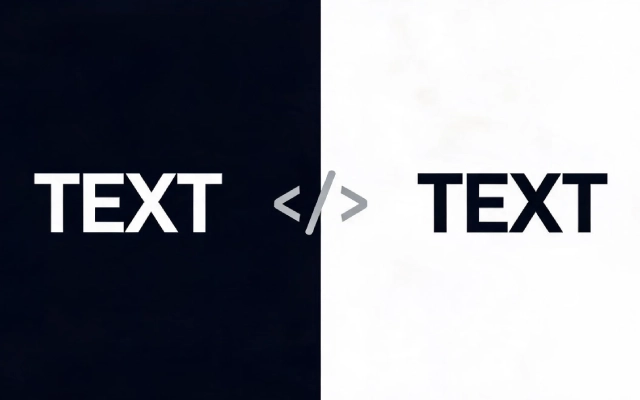
网页开发里背景色不固定时,文字可读性难以保障。本文介绍了实现字体随背景自动变色的多种方案,包含 CSS 混合模式、滤镜反转、JavaScript 依据 WCAG 亮度算法计算颜色、CSS 变量以及前沿的 color‑contrast 属性,还提供完整工具函数、变动监听代码,并结合业务场景给出选型方案与兼容降级策略。
1. CSS 混合模式(推荐)
.text {
  mix-blend-mode: difference; /* 或 exclusion */
  color: white; /* 基准色 */
}
原理:通过混合模式计算颜色差值,自动适配背景。
优点:纯 CSS,无需 JS,性能最好
缺点:兼容性稍差(IE 不支持)
2. CSS 滤镜反转
.container {
  background: #333;
}

.text {
  filter: invert(1); /* 完全反转颜色 */
  mix-blend-mode: screen; /* 可选叠加 */
}
3. JavaScript 动态计算(最精确)
function adjustTextColor(bgElement, textElement) {
  const bgColor = window.getComputedStyle(bgElement).backgroundColor;
  const rgb = bgColor.match(/\d+/g).map(Number);

  // 计算相对亮度(WCAG 标准)
  const brightness = (rgb[0] * 299 + rgb[1] * 587 + rgb[2] * 114) / 1000;

  // 根据亮度选择黑/白文字
  textElement.style.color = brightness > 128 ? '#000' : '#fff';
}

// 使用示例
const bg = document.querySelector('.background');
const text = document.querySelector('.text');
adjustTextColor(bg, text);
4. CSS 自定义属性 + JS
:root {
  --text-color: #000;
}

.text {
  color: var(--text-color);
}
// 根据背景更新 CSS 变量
document.documentElement.style.setProperty('--text-color',
  brightness > 128 ? '#000' : '#fff'
);
5. CSS Color-contrast()(未来方案)
.text {
  color: color-contrast(var(--bg-color) vs white, black);
}
注意:目前仅 Safari 16.4+支持,需等待全面兼容。
6. 实用工具函数(完整版)
/**
 * 自动调整文字颜色以适应背景
 * @param {HTMLElement} element - 包含背景的元素
 * @param {Object} options - 配置选项
 */
function autoTextColor(element, options = {}) {
  const {
    lightColor = '#ffffff',
    darkColor = '#000000',
    threshold = 128
  } = options;

  const bgColor = window.getComputedStyle(element).backgroundColor;
  const rgb = bgColor.match(/\d+/g);

  if (!rgb) return;

  const brightness = (
    parseInt(rgb[0]) * 0.299 +
    parseInt(rgb[1]) * 0.587 +
    parseInt(rgb[2]) * 0.114
  );

  const textColor = brightness > threshold ? darkColor : lightColor;

  // 应用到所有子文本元素
  element.querySelectorAll('h1, h2, h3, p, span, a').forEach(el => {
    el.style.color = textColor;
  });
}

// 使用示例
window.addEventListener('load', () => {
  document.querySelectorAll('.auto-text').forEach(el => {
    autoTextColor(el);
  });
});
7. 响应式背景变化监听
// 监听背景变化
const observer = new MutationObserver((mutations) => {
  mutations.forEach(mutation => {
    if (mutation.attributeName = 'style' ||
        mutation.attributeName = 'class') {
      autoTextColor(mutation.target);
    }
  });
});

observer.observe(document.querySelector('.dynamic-bg'), {
  attributes: true,
  attributeFilter: ['style', 'class']
});
最佳实践建议
| 场景 | 推荐方案 |
|---|---|
| 静态背景 | CSS 混合模式 |
| 动态背景 | JS 计算 + CSS 变量 |
| 需要精确对比度 | JS 亮度计算 |
| 未来兼容性 | CSS color-contrast() |
完整示例
<!DOCTYPE html>
<html>
<head>
<style>
  .card {
    padding: 20px;
    margin: 10px;
    border-radius: 8px;
    transition: background 0.3s;
  }

  .auto-contrast {
    mix-blend-mode: difference;
    color: white;
    font-weight: bold;
  }
</style>
</head>
<body>
  <div class="card" style="background: #3498db;">
    <p class="auto-contrast">蓝色背景上的文字</p>
  </div>

  <div class="card" style="background: #f1c40f;">
    <p class="auto-contrast">黄色背景上的文字</p>
  </div>

  <script>
    // 备用方案:如果混合模式不支持
    if (!CSS.supports('mix-blend-mode', 'difference')) {
      document.querySelectorAll('.auto-contrast').forEach(text => {
        const bg = text.closest('.card');
        const bgColor = getComputedStyle(bg).backgroundColor;
        const rgb = bgColor.match(/\d+/g);
        const brightness = (rgb[0]*299 + rgb[1]*587 + rgb[2]*114)/1000;
        text.style.color = brightness > 128 ? '#000' : '#fff';
        text.style.mixBlendMode = 'normal';
      });
    }
  </script>
</body>
</html>
选择建议:
- 简单项目:使用
mix-blend-mode: difference - 需要精确控制:使用 JS 亮度计算
- 考虑无障碍:确保对比度至少 4.5:1(AA 标准)
结语
不同场景应当按需选择实现方式,静态背景优先选用纯 CSS 混合模式兼顾简洁和性能;动态背景借助 JS 计算亮度最为稳妥。开发时还要遵循无障碍规范,保证文字对比度达标,再搭配兼容性判断做好降级处理。合理运用以上方法,就能让页面文字在任意底色下清晰易读。
以上关于如何在HTML中实现字体颜色根据背景自动变化?的文章就介绍到这了,更多相关内容请搜索码云笔记以前的文章或继续浏览下面的相关文章,希望大家以后多多支持码云笔记。
 微信
微信 支付宝
支付宝声明:本文来自互联网用户投稿,该文观点仅代表作者本人,不代表本站立场。本站仅提供信息存储空间服务,不拥有所有权,不承担相关法律责任。
如若内容造成侵权/违法违规/事实不符,请将相关资料发送至 admin@mybj123.com 进行投诉反馈,一经查实,立即处理!
重要:如软件存在付费、会员、充值等,均属软件开发者或所属公司行为,与本站无关,网友需自行判断
码云笔记 » 如何在HTML中实现字体颜色根据背景自动变化?
如若内容造成侵权/违法违规/事实不符,请将相关资料发送至 admin@mybj123.com 进行投诉反馈,一经查实,立即处理!
重要:如软件存在付费、会员、充值等,均属软件开发者或所属公司行为,与本站无关,网友需自行判断
码云笔记 » 如何在HTML中实现字体颜色根据背景自动变化?